HNK SafeRoute
Know your route before you go
Choose where you are to get your brief.
Next hours
| Time | Weather | Temp | Rain | Gusts |
|---|---|---|---|---|
| Loading... | ||||
Your AI brief
Press the button: the assistant reads the conditions and tells you what to do, in a few sentences.
Warn me while I walk
Sound, vibration and a notification when you near a problem zone.
Weather: Open-Meteo. Street data: your HNK node, live.
Plan my route
A safe route: weather, air and street nodes on the way.
AI route brief
Check a route first, then ask the assistant.
Data: OpenStreetMap, Open-Meteo, RainViewer, Esri and your street node. Map © OpenStreetMap contributors.
The street node
Device screen
Live copy of the screen on the pole.
People crossing
Environment
Priority crossing (RFID)
A registered fob gives a longer walk. Other cards work like the button.
Live map
Who is near the crossing, live. Risky crossings are logged. Location only if you share it.
Zones
People now 0
Infractions 0
Controls
Gates move only in maintenance tests, never onto a train.
Data export (CSV)
Readings are saved in this browser (last 3,000). Download them as CSV.
Event log
Ask the crossing
AI assistant (Gemini 3.8 Flash). It sees the live crossing data with every question.
RoboFace Live
Meet SafeRoute
The crossing's robot companion. It sees you through your camera, hears your questions and answers out loud, using the live data from the crossing.
Allow the camera and microphone when the browser asks. Works best in Chrome or Edge.
Sees what you show it
Each question sends a camera frame: show it what you mean.
Voice conversation
Just talk. Tap the face to interrupt.
Knows the crossing
It reads the live state: robots, train, gates, tunnel guard, temperature, gas and wait times.
Has a personality
It blinks, looks around, smiles, winks and thinks visibly while it works out an answer.
Your camera is off
Email alerts
- Fire or gas emergency at the crossing
- Flooded path or ice risk on the road
- Train on the crossing for more than 60 s
- Device offline for more than 60 s
One email per alert type every 10 min at most. Keep this page open.
Hardware test
Robots (both lanes)
Lights
Buzzer
Railway gate
Car barrier
Whole crossing
Tests last 3 s (sweeps 6 s). Device reply: --
Boot self-test
| Part | Result | Detail |
|---|---|---|
| Reset the ESP32, or press "Run self-test again" in maintenance mode. | ||
Inputs: check each one on the real device
| Part | Reading now | How to check it | Result |
|---|---|---|---|
| DHT temperature | -- | Breathe on it or hold it, temperature and humidity rise | -- |
| MQ-5 gas | -- | Unlit lighter gas near it, the value jumps | -- |
| Soil moisture | -- | Dip the probe in water, it rises | -- |
| LDR light | -- | Cover it with your hand, it drops | -- |
| Train sensor (IR) | -- | Pass a hand 1 cm in front of the IR sensor: train detected | -- |
| RFID reader (PN532) | -- | Tap the blue fob or any card on the reader | -- |
| PIR tunnel guard | -- | Walk in front of it (wait 45 s after power-up) | -- |
| Button 1 pedestrian | -- | Press it on the device | -- |
| Button 2 railway gate | -- | Press it on the device | -- |
| Button 3 car barrier | -- | Press it on the device | -- |
| Button 4 street lamp | -- | Press it on the device | -- |
| WiFi signal | -- | Better than -75 dBm is solid | -- |
| City mainframe link | -- | Needs CITY_HOST in config.h | -- |
Pinout
ESP32 DevKit V1, top view, USB at the bottom.
WROOM
Power
Pin connections
Labels as on the board. Buttons: pin to GND. One resistor per LED.
| Pin | Part | Wiring | Extra part |
|---|---|---|---|
| Traffic robots (left and right lane share pins) | |||
| D25 | RED, both robots | D25 → 220Ω → LED → GND, twice | 2 × 220Ω |
| D26 | ORANGE, both robots | D26 → 220Ω → LED → GND, twice | 2 × 220Ω |
| D33 | BLUE, both robots | D33 → 100Ω → LED → GND, twice | 2 × 100Ω |
| Push buttons | |||
| D13 | Button 1, pedestrian | D13 ↔ button ↔ GND | none |
| D18 | Button 2, railway gate | D18 ↔ button ↔ GND | none |
| D19 | Button 3, car barrier (hold 3 s = emergency) | D19 ↔ button ↔ GND | none |
| D21 | Button 4, street lamp (hold 3 s = maintenance) | D21 ↔ button ↔ GND | none |
| Train sensor and gates | |||
| VN | IR train sensor (TCRT5000 module, 3 pins) | OUT → VN, VCC → 3V3, GND → GND; train = OUT goes LOW (range about 1 cm, blue knob) | none |
| RX2 | Servo, car barrier | orange → RX2, red → breadboard 5V rail, brown → GND | none |
| TX2 | Servo, railway gate | orange → TX2, red → breadboard 5V rail, brown → GND | none |
| Environment | |||
| D4 | DHT temperature + humidity (3-pin module) | S → D4, + (middle) → 3V3, − → GND | none (pull-up on the module) |
| D34 | MQ-5 gas | AO → 10kΩ → D34 → 10kΩ → GND, VCC → breadboard 5V rail | 2 × 10kΩ |
| D35 | Soil moisture | AO → D35, VCC → 3V3, GND → GND | none |
| D32 | LDR light sensor | 3V3 → LDR → D32 → 10kΩ → GND | 10kΩ |
| D22 | Street lamp LED | D22 → 220Ω → LED → GND | 220Ω |
| D23 | Buzzer module, 3 pins (− , middle, S) | S → D23, middle (+) → 5V rail (louder) or 3V3, − → GND | none |
| OLED screen (0.96" SSD1306, 7-pin SPI) | |||
| D14 | OLED SCL (clock) | SCL → D14 | none |
| D15 | OLED SDA (data) | SDA → D15 | none |
| D5 | OLED DC | DC → D5; RES → EN; CS → GND; VCC → 3V3; GND → GND | none |
| VP | PIR tunnel guard (HC-SR501) | OUT → VP, VCC → 5V rail, GND → GND | none |
| D2 | Status LED | onboard, nothing to wire | none |
| RFID reader (Elechouse PN532 V3, UART / HSU mode) | |||
| D27 | RFID TXD (hole marked SDA) | SDA/TXD → D27, the ESP32 receives (was the ultrasonic TRIG, free with the IR sensor) | none |
| D12 | RFID RXD (hole marked SCL) | SCL/RXD → D12, the ESP32 sends; VCC → 3V3, GND → GND; BOTH DIP switches OFF (HSU). D12 is safe because this board's flash voltage eFuse is set to 3.3 V | none |
| Power | |||
| 3V3 | 3.3V rail | DHT11, soil moisture, LDR, buzzer, OLED, IR sensor, RFID reader | |
| 5V rail | Breadboard power supply, jumper on 5V | 9V battery clip → its barrel jack; 5V rail → both servos, MQ-5 VCC, PIR VCC | supply module |
| USB | ESP32 power | laptop USB powers the ESP32; do NOT also link VIN to the 5V rail | |
| GND | Common ground | ESP32 GND → breadboard GND rail: the only wire between the two supplies | |
| VIN | Run without the laptop | unplug USB first, then VIN → breadboard 5V rail | |
| Reserved / free | |||
| D14 | Used by the OLED (was for ultrasonic 2, car) | VP is now used by the PIR | |
Device console
Live device log, plus what this website does.
Serial Monitor commands (115200 baud, type a letter then Enter)
Gallery
Concept art (AI), real hardware and drawings. Tap to enlarge.
Terms and privacy
Updated 4 October 2026. Using this site means you accept these terms.
1. What this is
A prototype by HNK IoT Solutions (Pty) Ltd, Cape Town. Not yet a commercial service.
2. Not a safety system
Never rely on SafeRoute to decide when to cross. Follow the real signals and barriers. Data can be late or wrong.
3. Your location
Your location shows only after you press "Share my location", only while the page is open, with a random name.
4. What data is used
- The crossing uses no cameras and stores no names. It counts presses, wait times, trains and sensor readings.
- RFID: only the card number is stored, no personal details.
- Readings and settings stay in your browser. Clear them any time.
- Live data: HiveMQ Cloud. Weather: Open-Meteo. Your position is not stored.
5. AI assistant and RoboFace Live
AI questions and photos go to Google Gemini. Do not send private photos. Answers are advice only.
6. Email alerts
Alert emails (Formspree) carry device readings only, never visitor data.
7. Your rights (POPIA)
POPIA: as little data as possible, with your consent. Ask us to see or delete yours.
8. Fair use
Do not misuse the controls or services. We may block abuse.
9. Ownership
SafeRoute is by HNK IoT Solutions. AI pictures are labelled. Map data © OpenStreetMap contributors.
10. No warranty
Provided "as is", without warranty.
11. Changes and contact
Questions: [email protected] · hnkiot.com
About HNK SafeRoute
Know your route before you go. Street sensors, live weather and AI in one place.
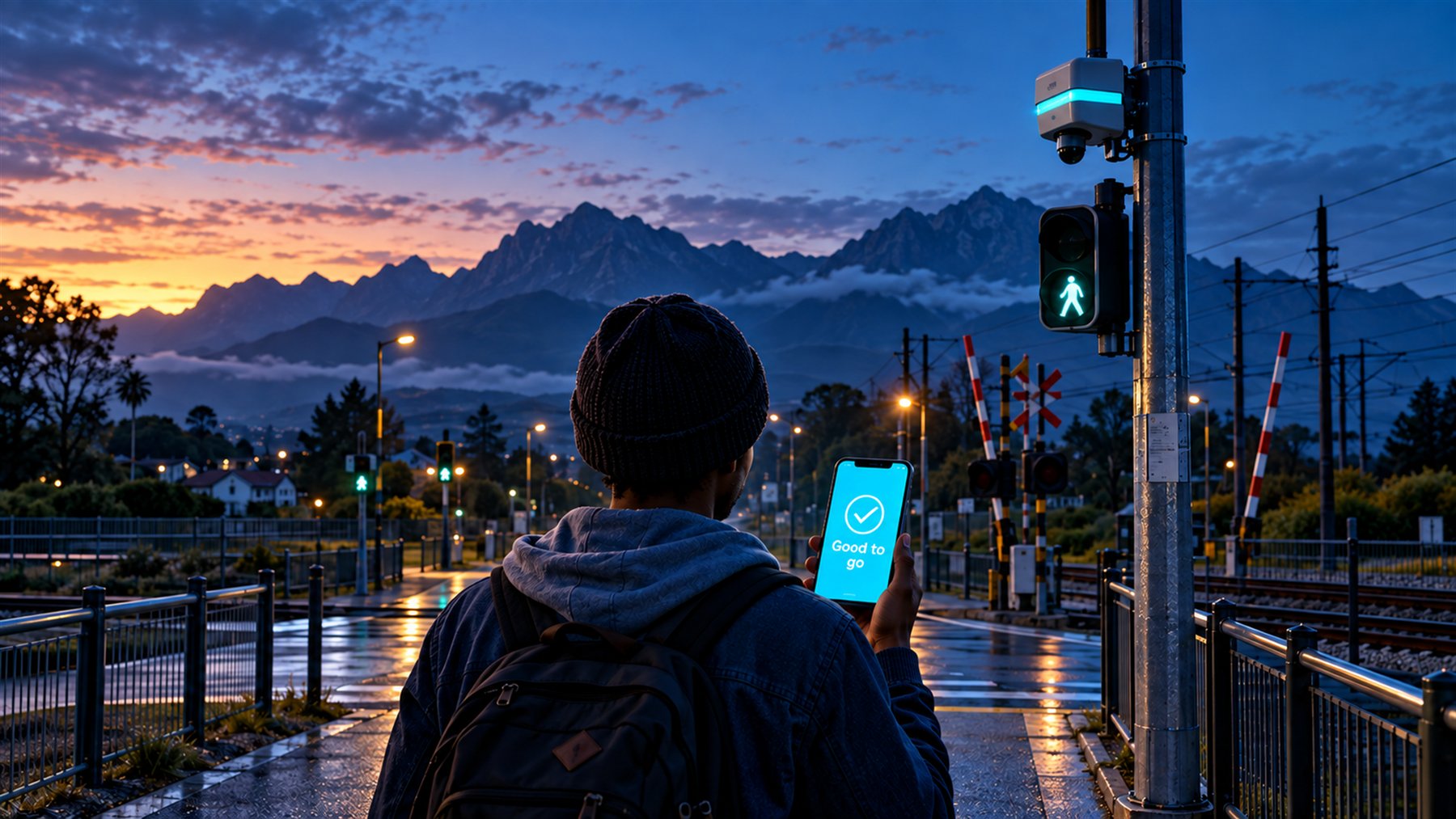

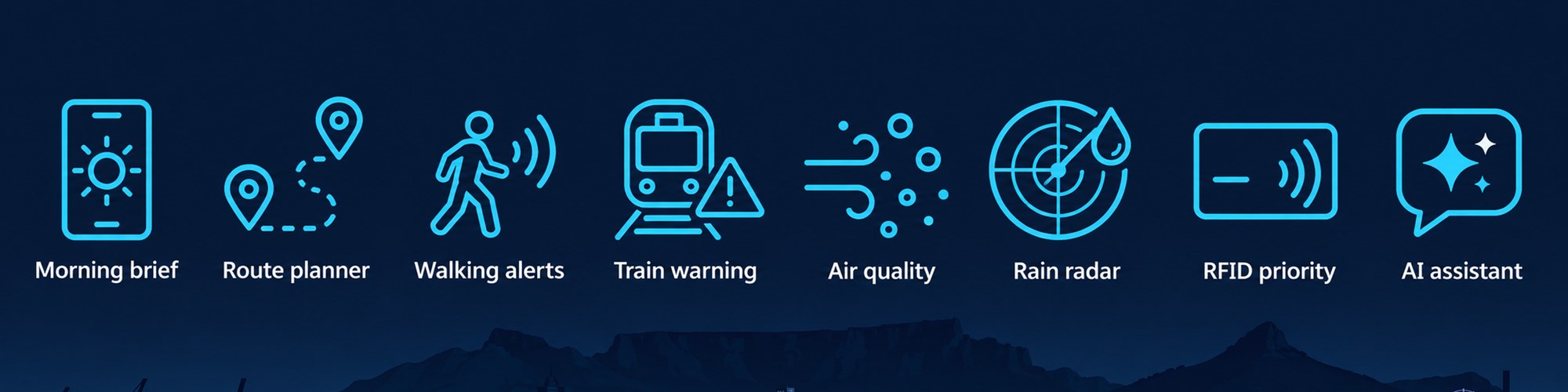
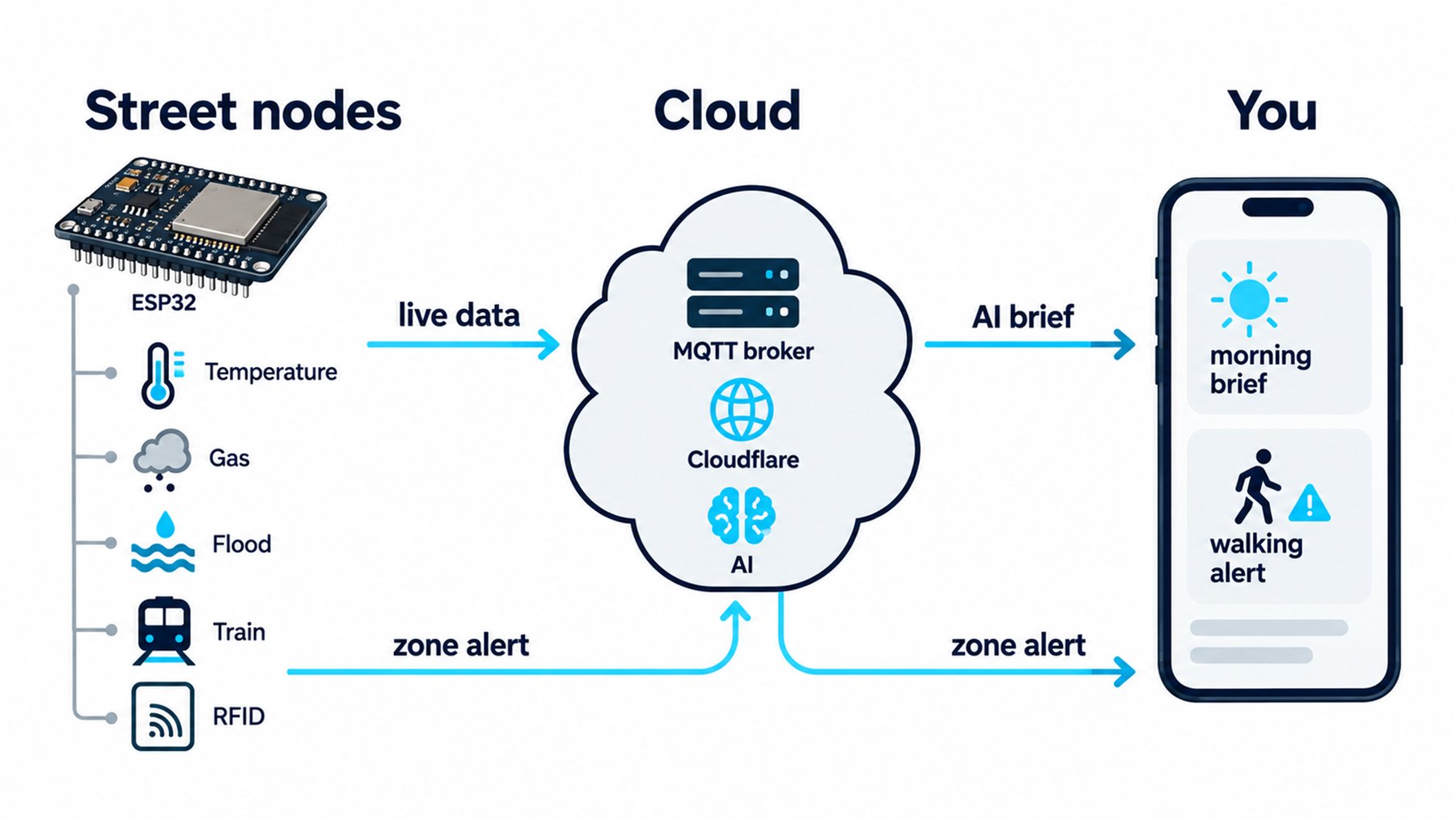
Before you go
Weather, air and street sensors in one spoken brief.
Plan my route
Walking or cycling routes, checked for weather and hazards.
While you walk
Your phone warns you near a problem zone.
The street node
One ESP32: robots, gates, train sensors, RFID, gas, flood and heat.
Privacy
No cameras, no names. Location only when you share it.
Coming next
- Live traffic
- More street nodes
- Camera hazard check
- Solar + LoRaWAN
Cloud broker
| Broker | eeb1e83a06da4b44b7a340bc19cd1e75.s1.eu.hivemq.cloud (HiveMQ Cloud) |
|---|---|
| Device port | 8883 MQTT over TLS |
| Website port | 8884 MQTT over secure WebSocket, path /mqtt |
| State topic | ion4/crossing/state, full JSON every 5 s |
| Command topic | ion4/crossing/cmd, for example {"cmd":"mode","val":"maintenance"}, {"cmd":"test","val":"train_drill"}, {"cmd":"self_test","val":"run"} |
| People topic | ion4/crossing/people, phone positions from the Live map: {"id","name","lat","lng","acc"} |
| Log topic | ion4/crossing/log, one line of text per device event (the Device console page) |
| City mainframe | hack/qsoju/crossing-01/telemetry every 30 s and hack/qsoju/crossing-01/status (retained), on the Octoco broker |